
Blog

  • Load Shedding Website Uptime South Africa: How to Keep Your Site Online

    Load Shedding Website Uptime South Africa: How to Keep Your Site Online

    Load Shedding Website Uptime South Africa: How to Keep Your Site Online

    In South Africa, load shedding is more than an inconvenience. It can directly affect online businesses, customer trust, sales, and search visibility. If your website goes offline during power cuts, visitors may leave, transactions can fail, and your brand may appear unreliable. That is why load shedding website uptime South Africa is now a serious priority for companies, eCommerce stores, schools, agencies, and growing startups.

    Website uptime refers to the amount of time your website remains accessible and functional. In a market where customers expect 24/7 availability, even short outages can lead to lost revenue and support headaches. For South African businesses, the challenge is unique: you need a hosting setup and operational plan that can handle local power instability without compromising performance.

    In this guide, we explain how load shedding affects websites, what really causes downtime, and the practical steps you can take to improve load shedding website uptime South Africa for your business.

    Why load shedding affects website uptime in South Africa

    Many business owners assume their website is safe as long as it is hosted in a data centre. While professional infrastructure does reduce risk, load shedding can still affect your wider digital operations in several ways.

    First, if your website is hosted on poor-quality infrastructure without adequate backup power, outages can happen when electricity supply is interrupted. Not all hosting providers invest equally in generators, UPS systems, network redundancy, and proactive monitoring.

    Second, your own office systems may go offline even if your hosting server stays online. This can affect order processing, customer support, internal dashboards, payment confirmations, and content updates. In other words, website uptime is not only about the server. It is also about your business continuity.

    Third, internet connectivity disruptions can happen during or after scheduled power cuts. Local routers, fibre equipment, and wireless towers may experience instability depending on the provider and area. This can make it seem like your website is down, even when the server is still functioning.

    For this reason, businesses that want strong load shedding website uptime South Africa performance need a layered strategy. It should include reliable hosting, power-resilient systems, backup connectivity, and monitoring tools.

    What causes downtime during load shedding

    To improve resilience, it helps to understand the most common technical causes of downtime during load shedding periods.

    1. Inadequate data centre backup power
    If a hosting provider relies on weak backup systems or poorly maintained generators, service interruptions are more likely. A quality provider should have enterprise-grade UPS systems, backup generators, fuel management, and tested failover procedures.

    2. Single points of failure
    Some websites are hosted on infrastructure with no redundancy. If one power source, network path, or server component fails, the website goes down. Redundant systems reduce this risk significantly.

    3. Network congestion and routing issues
    Load shedding can increase strain on telecom networks. If your hosting environment or ISP does not have strong routing and peering, users may experience slow access or temporary outages.

    4. Local business interruptions
    Your website may remain live, but your office operations may stop. If your team cannot access email, CRM tools, inventory systems, or admin dashboards, customer experience still suffers.

    5. Poor website optimisation
    Websites with bloated code, oversized images, and inefficient plugins may struggle under unstable conditions. Faster, lighter websites generally perform better and recover more quickly during network fluctuations.

    Understanding these factors is essential when planning for better load shedding website uptime South Africa outcomes.

    How to improve load shedding website uptime South Africa

    The good news is that there are proven ways to protect your website and reduce disruption.

    Choose a hosting provider with strong backup power
    Your hosting company should clearly explain its power resilience. Ask whether the data centre uses UPS systems, standby generators, automatic transfer systems, and continuous monitoring. A reliable provider should not be vague about uptime protection.

    Use infrastructure with redundancy
    Redundant power feeds, storage systems, network paths, and hardware can help prevent outages when one component fails. This is especially important for business-critical websites, portals, and online stores.

    Host in a professional data centre environment
    A quality Johannesburg or other South African enterprise-grade data centre can offer better local latency, improved support responsiveness, and infrastructure designed for power instability. For many businesses, local hosting paired with resilient facilities is a strong option.

    Implement offsite backups
    Regular backups are essential. If a system problem occurs during load shedding, you need to restore data quickly. Store backups in a separate location and automate them daily or more frequently for dynamic websites.

    Set up uptime monitoring
    Use monitoring tools to alert you the moment your website becomes unreachable. Fast alerts help you respond quickly, speak to your provider, and update customers if needed. Monitoring also helps verify whether downtime is local, regional, or server-related.

    Optimise your website for performance
    Fast websites handle challenging network conditions better. Compress images, enable caching, reduce unnecessary scripts, and use lightweight themes or frameworks. Better performance can support a more stable user experience during periods of strain.

    Prepare your internal operations
    Keep your team productive during load shedding with laptop power banks, inverter systems, mobile connectivity backups, and cloud-based tools. This ensures your website can still be managed even if your office loses electricity.

    These practical steps can make a major difference in load shedding website uptime South Africa for SMEs and larger organisations alike.

    Why hosting quality matters more during load shedding

    During stable power conditions, almost any provider may seem acceptable. During load shedding, the difference between budget hosting and quality hosting becomes much more obvious.

    Low-cost hosting providers may oversell servers, delay maintenance, and invest minimally in backup infrastructure. When power disruptions occur, these weaknesses show up quickly through downtime, slower recovery times, and poor support communication.

    By contrast, a reputable hosting provider prioritises uptime engineering. This includes power backup systems, network resilience, physical security, proactive monitoring, and technical support that understands the South African operating environment.

    For businesses that depend on leads, online bookings, or eCommerce revenue, uptime is not just a technical metric. It is a commercial necessity. If your website is down while competitors stay online, customers may never come back.

    That is why investing in reliable hosting is one of the smartest ways to improve load shedding website uptime South Africa and protect your digital presence.

    Best practices for South African businesses that rely on website uptime

    If your website is central to your business, use the following checklist to stay prepared:

    • Confirm your hosting provider has tested UPS and generator backup systems
    • Choose hosting with high uptime commitments and transparent support
    • Use automated offsite backups for files, databases, and email
    • Monitor uptime continuously with instant alerts
    • Optimise your website speed and reduce unnecessary plugins
    • Prepare staff with backup power and mobile internet access
    • Keep key systems cloud-based so your team can work from anywhere
    • Review incident response procedures before severe load shedding periods

    These best practices are especially useful for law firms, schools, clinics, retailers, travel companies, SaaS businesses, and digital agencies across South Africa. The more essential your website is to revenue and communication, the more important uptime planning becomes.

    In today’s environment, businesses cannot afford to treat outages as rare events. Resilience must be built into your hosting and daily operations from the start.

    Load shedding website uptime South Africa is not only about surviving scheduled power cuts. It is about maintaining trust, protecting conversions, and ensuring customers can always reach you when it matters most.

    If you want dependable website hosting built for South African conditions, choose a provider that understands local challenges and invests in infrastructure that keeps your business online.

    Explore reliable South African hosting from GosoftHost and keep your website available through load shedding and beyond.


  • eCommerce Hosting South Africa: How to Choose the Best Hosting for Your Online Store

    eCommerce Hosting South Africa: How to Choose the Best Hosting for Your Online Store

    eCommerce Hosting South Africa: How to Choose the Best Hosting for Your Online Store

    If you run an online store, your hosting choice affects far more than just website uptime. It influences page speed, customer trust, payment security, SEO performance, and ultimately your sales. That is why choosing the right ecommerce hosting South Africa solution is one of the most important decisions for any local business selling online.

    Whether you are launching a small Shopify-style store, running WooCommerce on WordPress, or managing a larger Magento or custom eCommerce platform, reliable hosting gives your business the foundation it needs to grow. In the South African market, customers expect fast loading pages, secure checkout experiences, and stable performance on both desktop and mobile networks. If your website is slow or unavailable, many shoppers will leave before completing a purchase.

    In this guide, we explain what to look for in ecommerce hosting South Africa, which features matter most, and how local hosting can benefit online stores targeting customers in Johannesburg, Cape Town, Durban, and across the country.

    Why eCommerce Hosting Matters for South African Online Stores

    Not all hosting plans are built for online stores. A simple brochure website can usually run on basic shared hosting, but eCommerce websites need stronger performance, better security, and more reliable uptime. Product pages, search filters, payment gateways, customer accounts, and inventory tools all put additional strain on your server.

    With the right ecommerce hosting South Africa package, your store can handle traffic spikes during promotions, process transactions securely, and load quickly for local shoppers. This matters because site speed directly affects bounce rate and conversion rate. A delay of even a second or two can reduce completed purchases.

    Hosting within or close to South Africa can also improve latency for local visitors. If most of your customers are based in South Africa, a hosting environment optimized for the region can offer a better user experience than a generic overseas hosting setup. Lower latency often means faster page delivery, smoother browsing, and quicker checkout processes.

    For businesses operating in ZAR, local support and region-relevant billing can also make management easier. Instead of dealing with exchange rate fluctuations and offshore support delays, local or region-aware hosting gives you more practical control over costs and service delivery.

    Key Features to Look for in eCommerce Hosting South Africa

    When comparing providers, do not focus only on price. The cheapest hosting plan can become expensive if poor performance causes downtime or lost sales. The best ecommerce hosting South Africa plans usually include a balance of speed, security, scalability, and support.

    Here are the most important features to consider:

    1. Fast storage and optimized performance
    Look for SSD or NVMe storage, updated server software, caching support, and enough CPU and RAM to handle store traffic. eCommerce websites rely on database queries, image delivery, and dynamic content, so performance matters.

    2. SSL certificates and strong security
    Every online store must use SSL to protect customer data and secure payment pages. Good hosting should also include firewall protection, malware scanning, brute-force protection, and regular updates.

    3. High uptime guarantee
    Downtime means lost revenue. Choose a provider with a strong uptime record, ideally 99.9% or higher. Reliable infrastructure is essential for stores that accept orders around the clock.

    4. Backup and recovery options
    Daily backups are vital for online stores. If something goes wrong during an update or cyberattack, you need a fast way to restore your website and customer data.

    5. Scalability
    As your business grows, your hosting should grow with you. You may start with shared or cloud hosting, but your provider should also offer VPS, cloud, or dedicated options when traffic increases.

    6. South African or low-latency infrastructure
    For businesses targeting local buyers, ecommerce hosting South Africa should ideally offer infrastructure that delivers strong performance for users in the region, especially around major hubs like Johannesburg.

    7. Expert support
    If your checkout stops working or your website goes offline, you need help quickly. Responsive technical support is a major advantage for store owners who cannot afford delays.

    Benefits of Local eCommerce Hosting in South Africa

    Choosing ecommerce hosting South Africa can provide several advantages for businesses that primarily serve local customers. While international hosting can work in some cases, local relevance often gives South African online stores a practical edge.

    Faster load times for local shoppers
    A hosting setup that is optimized for South African traffic can reduce latency and improve page response times. This is especially valuable for mobile users, who make up a large portion of online shoppers in the country.

    Better customer experience
    A faster store feels more trustworthy and professional. Shoppers can browse products, add items to cart, and complete payment with fewer delays. This creates a smoother buying journey and can improve conversion rates.

    Support aligned with your market
    Hosting providers that understand the South African market can better assist with local payment gateway compatibility, ZAR pricing expectations, and business needs specific to the region.

    Improved operational convenience
    Paying in ZAR and dealing with a provider that understands your business hours and customer base simplifies day-to-day management. This is especially useful for SMEs and growing online brands.

    SEO and user engagement benefits
    Although hosting location alone does not guarantee rankings, faster performance can improve user signals such as time on site and bounce rate. That supports your broader search visibility efforts for local searches.

    Which Hosting Type Is Best for an eCommerce Website?

    The best ecommerce hosting South Africa solution depends on your store size, traffic levels, and platform.

    Shared hosting
    Suitable for very small stores or startups with limited traffic. It is affordable, but resources are shared with other websites, which can limit performance during busy periods.

    Cloud hosting
    A strong choice for most growing stores. Cloud hosting offers flexibility, better uptime, and easier scaling. It is often ideal for WooCommerce and modern online stores that need reliable performance.

    VPS hosting
    Virtual private servers provide dedicated resources within a virtual environment. This is a good option for businesses that need more control, stronger performance, and improved stability.

    Dedicated hosting
    Best for high-traffic stores, large catalogues, or enterprise-level operations. Dedicated hosting offers maximum control and performance, but at a higher cost.

    Managed hosting
    If you want less technical work, managed hosting can be a smart investment. The provider handles updates, optimization, security monitoring, and maintenance, letting you focus on sales and operations.

    For many businesses, cloud or managed VPS plans offer the best balance between cost and performance. If your goal is stable growth, investing in scalable ecommerce hosting South Africa is usually better than starting with the cheapest option available.

    How to Choose the Right eCommerce Hosting Provider in South Africa

    Before signing up, compare hosting providers carefully. Start by reviewing your platform requirements. WooCommerce, Magento, OpenCart, and custom stores all have different performance needs. Then consider your expected traffic, product catalogue size, and whether you plan to run seasonal promotions or paid advertising campaigns.

    Ask these practical questions:

    • Does the provider support your eCommerce platform properly?
    • Are SSL certificates included?
    • What backup policy is offered?
    • Can you upgrade easily as your traffic grows?
    • Is support available when you need it?
    • Does the hosting environment deliver fast performance for South African visitors?
    • Are prices transparent in ZAR?

    It is also worth checking whether the provider offers website migration assistance. If you already have an online store, moving to a better ecommerce hosting South Africa provider should be simple and low risk.

    Finally, read real customer reviews and uptime information. Technical specifications are important, but actual reliability and support quality matter just as much. The right hosting partner should help your business grow, not just rent you server space.

    Final Thoughts on eCommerce Hosting South Africa

    Your hosting environment can directly affect your store’s speed, reliability, security, and profitability. For any business selling online, investing in quality ecommerce hosting South Africa is a smart step toward better customer experience and stronger sales performance.

    If your target market is local, choosing hosting optimized for South African traffic can give your website a measurable advantage. Faster loading times, reliable uptime, secure transactions, and responsive support all contribute to a better online shopping experience.

    Whether you are launching your first store or upgrading an existing one, focus on value rather than just price. The best hosting solution is one that keeps your shop online, your customers happy, and your business ready to scale.

    Ready to power your online store with reliable ecommerce hosting South Africa? Explore GosoftHost hosting solutions today and choose a secure, scalable plan built for performance, growth, and South African businesses.

  • Managed WordPress Hosting SA: Fast, Secure Hosting for South African Websites

    Managed WordPress Hosting SA: Fast, Secure Hosting for South African Websites

    Managed WordPress Hosting SA: Fast, Secure Hosting for South African Websites

    If you run a business website, blog, online store, or agency site in South Africa, choosing the right hosting can make a major difference to performance, security, and growth. That is why more businesses are searching for managed WordPress hosting SA solutions that remove the technical burden and help websites run at their best.

    With WordPress powering a large share of websites worldwide, South African businesses need hosting that is optimised specifically for WordPress. A managed service goes beyond basic web hosting by including features such as automatic updates, daily backups, advanced security, staging environments, caching, and expert support. Instead of spending time handling server tasks, business owners can focus on marketing, sales, and serving customers.

    In this guide, we explain what managed WordPress hosting SA means, why it matters for local businesses, what features to look for, and how to choose the best provider for your website in South Africa.

    What Is Managed WordPress Hosting SA?

    Managed WordPress hosting SA refers to a hosting service designed specifically for WordPress websites, with infrastructure, support, and maintenance handled by the hosting provider. Rather than renting generic server space and managing the technical side yourself, you get a hosting environment built for speed, stability, and WordPress security.

    For South African businesses, this is especially useful because website owners often need a solution that balances local performance, easy management, and responsive support. A managed WordPress host typically takes care of:

    • Automatic WordPress core updates
    • Daily or scheduled backups
    • Malware scanning and firewall protection
    • Server-level caching for faster load times
    • WordPress-specific support
    • Staging environments for testing changes
    • Performance monitoring and optimisation

    This makes managed WordPress hosting SA a smart option for startups, SMEs, bloggers, ecommerce brands, and agencies that want reliability without hiring a full-time technical team.

    Why South African Businesses Need Managed WordPress Hosting

    In a competitive digital market, your website is often the first impression customers have of your brand. Slow load times, downtime, and security issues can directly affect leads, trust, and revenue. Choosing managed WordPress hosting SA can help solve these challenges in practical ways.

    Better local performance: If your target audience is in South Africa, a hosting setup that is optimised for local traffic can improve response times and user experience. A provider that understands Johannesburg and broader South African connectivity requirements can often deliver better performance for local visitors.

    Stronger security: WordPress is powerful, but it is also a common target for hackers when websites are not properly maintained. Managed hosting adds layers of protection such as proactive patching, brute-force prevention, malware monitoring, and secure backups.

    Less technical work: Many business owners do not want to spend hours managing plugins, server settings, or security tools. With managed WordPress hosting SA, many of these tasks are handled for you.

    Improved uptime: Reliable hosting means your site is available when customers need it. This is critical for service businesses, online stores, booking websites, and corporate websites.

    Expert support: One of the biggest advantages is access to support teams who understand WordPress issues. Whether you need help with plugin conflicts, migrations, or performance tuning, expert support can save time and frustration.

    Key Features to Look for in Managed WordPress Hosting SA

    Not all hosting plans offer the same value. When comparing providers, look beyond the headline price and evaluate the features that will actually affect your website’s long-term performance.

    Here are the most important features to consider in a managed WordPress hosting SA plan:

    • Automatic backups: Daily backups are essential for recovering your site quickly in case of accidental changes, plugin issues, or cyberattacks.
    • WordPress-specific optimisation: The hosting environment should be tuned for WordPress, including caching, PHP optimisation, and database efficiency.
    • Security tools: Look for SSL certificates, web application firewalls, malware scanning, DDoS protection, and login security.
    • Staging environment: A staging site lets you test updates or redesigns before pushing changes live.
    • Scalability: Your hosting should grow with your traffic, especially if you run campaigns or seasonal promotions.
    • Fast storage: NVMe or SSD storage can improve site speed significantly compared to older storage technology.
    • Email and domain options: Depending on your needs, it may help to choose a host that also supports domains and business email.
    • Knowledgeable support: Support should be available when you need it and should understand WordPress troubleshooting.

    These features are what separate a true managed WordPress hosting SA service from entry-level shared hosting.

    Managed WordPress Hosting vs Shared Hosting in South Africa

    Many website owners start with shared hosting because it is affordable. While that can work for small or brand-new sites, shared hosting often has limitations in performance, security, and support. As your site grows, these limitations become more noticeable.

    With shared hosting, many websites use the same server resources. If another site on the server experiences a traffic spike or security issue, your site may be affected. In contrast, managed WordPress hosting SA is built to provide a more stable and optimised environment for WordPress sites specifically.

    Here is a simple comparison:

    • Shared hosting: Lower cost, basic setup, limited optimisation, more user-managed tasks.
    • Managed WordPress hosting: Higher performance, stronger security, automatic maintenance, specialist support.

    If your website is important to your business, the added value of managed WordPress hosting SA often outweighs the small difference in monthly cost. Even a few seconds saved in load time can improve user engagement and conversion rates.

    How to Choose the Best Managed WordPress Hosting SA Provider

    The best hosting provider depends on your website goals, audience, and budget. However, there are several practical questions you should ask before making a decision.

    1. Is the hosting designed for South African businesses?
    A provider familiar with the South African market can better support local business needs, payment expectations, and performance requirements.

    2. Does the provider offer transparent pricing in ZAR?
    Clear local pricing helps businesses budget accurately without worrying about exchange rate changes. For South African customers, paying in rand is often simpler and more predictable.

    3. Is migration included?
    If you already have a WordPress website, a good host should make moving easy. Managed migration support can reduce downtime and avoid technical errors.

    4. What type of support is available?
    Responsive support is one of the top reasons businesses choose managed WordPress hosting SA. Check whether support is available through tickets, chat, or email, and whether the team can help with WordPress issues directly.

    5. Are backups and security included by default?
    Some providers charge extra for essential features. Ideally, backups, SSL, malware protection, and caching should be built into the hosting package.

    6. Can the plan grow with your business?
    Your website may start small, but growth can come quickly. Choose a host that offers easy upgrades and scalable resources.

    For businesses that want dependable local service, GosoftHost offers hosting solutions designed to support performance, reliability, and WordPress growth in South Africa and beyond.

    Why Managed WordPress Hosting SA Is Worth It

    For serious website owners, managed WordPress hosting SA is not just a convenience. It is a strategic investment in speed, security, and business continuity. Whether you operate a company website, online store, media platform, or service brand, your hosting affects how customers experience your business online.

    A managed environment helps reduce technical stress, improve uptime, strengthen website security, and support better search engine performance. It also allows you to spend less time fixing website problems and more time growing your business.

    If your current hosting feels slow, unreliable, or too hands-on, upgrading to managed WordPress hosting SA could be one of the most valuable improvements you make this year.

    Ready to upgrade your WordPress website? Choose GosoftHost for reliable managed WordPress hosting built for South African businesses. Enjoy strong performance, expert support, and hosting that helps your website grow with confidence. Get started with GosoftHost today.

  • Domain Registration South Africa: How to Register the Right Domain for Your Business

    Domain Registration South Africa: How to Register the Right Domain for Your Business

    Domain Registration South Africa: How to Register the Right Domain for Your Business

    If you want to build a credible online presence, the first step is choosing the right domain name. Domain registration South Africa is essential for businesses, startups, bloggers, and online stores that want to reach local customers and build trust online. Whether you are launching a new website or protecting your brand, understanding how domain registration South Africa works can help you make a smart decision from the start.

    In South Africa, a domain name does more than give your website an address. It helps customers find you, supports your branding, and improves your visibility in local search results. For many South African businesses, a .co.za domain is the preferred option because it signals that the business operates locally and serves the South African market.

    In this guide, we explain everything you need to know about domain registration South Africa, including domain types, pricing factors, how to choose the best domain name, and why working with a reliable provider matters.

    What Is Domain Registration and Why Does It Matter?

    A domain name is your website’s unique address on the internet, such as yourbusiness.co.za. Domain registration South Africa refers to the process of reserving that domain name so no one else can use it while your registration is active.

    Registering a domain is important because:

    • It protects your business name online
    • It gives your brand a professional identity
    • It makes your website easier to remember
    • It helps customers trust your business
    • It supports local SEO for South African searches

    Without proper domain registration South Africa, your preferred business name may be taken by someone else. This can create branding problems and make it harder for customers to find the correct business online.

    If you are serious about digital growth, securing your domain early is one of the most important steps you can take.

    Popular Domain Extensions in South Africa

    When looking at domain registration South Africa, one of the first decisions is choosing the right domain extension. The extension is the part at the end of the domain name, such as .co.za, .com, or .org.za.

    Here are some of the most common options:

    .co.za

    This is the most popular choice for local businesses. It is widely recognised across the country and ideal for companies targeting customers in Johannesburg, Cape Town, Durban, Pretoria, and other South African cities. A .co.za domain can strengthen local trust and improve regional relevance.

    .org.za

    This extension is commonly used by non-profit organisations, associations, and community groups operating in South Africa.

    .web.za

    This can be suitable for personal sites, online projects, or web-focused brands, although it is less common than .co.za.

    .com

    A .com domain is globally recognised and may be a good option if your business serves international customers as well as the South African market.

    For many brands, the best strategy is to secure both the .co.za and .com versions where possible. This helps protect your brand and reduces the risk of competitors or copycats registering similar names.

    How Domain Registration South Africa Works

    The process of domain registration South Africa is usually simple and fast when you use a trusted registrar or hosting provider. Here is how it typically works:

    1. Search for your domain name
      You begin by checking whether your preferred domain is available. If it is already taken, you may need to try an alternative name or extension.
    2. Choose your domain extension
      Select the extension that best fits your business goals. For local businesses, .co.za is often the top choice.
    3. Complete your registration
      Once you choose an available name, you provide your registration details and pay the registration fee.
    4. Connect your domain to hosting
      After registration, your domain can be linked to your web hosting account so your website and email can start working.
    5. Renew your domain annually
      Most domains must be renewed every year to keep ownership active.

    Reliable providers make domain registration South Africa even easier by offering a domain search tool, DNS management, email setup, and hosting in one place.

    It is also important to keep your contact information accurate so you do not miss renewal reminders or important notifications about your domain.

    How to Choose the Best Domain Name for Your South African Business

    Choosing the right name is a major part of successful domain registration South Africa. A strong domain should be easy to remember, easy to spell, and closely aligned with your business name or services.

    Here are some useful tips:

    • Keep it short and simple: Short domains are easier to type and remember.
    • Avoid hyphens and numbers: These can confuse users and make your domain harder to share verbally.
    • Use your brand name: If possible, register your business name exactly as your domain.
    • Consider keywords carefully: Including a relevant keyword can help users understand what you offer, but avoid stuffing too many words.
    • Think long term: Choose a name that can grow with your business.

    For example, if your company is called Joburg Tech Solutions, a domain like joburgtech.co.za may work better than a long, complicated version. If your target audience is primarily local, a .co.za extension adds a clear South African identity.

    During domain registration South Africa, it is also wise to register common misspellings or related extensions if they are important to your brand strategy.

    What Affects Domain Registration Pricing in South Africa?

    The cost of domain registration South Africa can vary depending on several factors. While local domains such as .co.za are usually affordable, pricing may differ between providers based on included features and support.

    Some of the main pricing factors include:

    • The domain extension you choose
    • The registration period
    • Renewal rates
    • WHOIS privacy or protection features
    • DNS management tools
    • Bundled services such as hosting or email

    In many cases, a provider may offer promotional first-year pricing, but it is important to review the regular renewal cost as well. A good domain registration South Africa provider should be transparent about pricing and renewal terms.

    Businesses should also consider the value of local support. Paying slightly more for dependable customer service and a seamless setup experience can save time and avoid technical problems later.

    Why Choose a Reliable South African Domain Provider?

    Not all domain providers offer the same level of service. When comparing options for domain registration South Africa, look for a provider that offers more than just a low price.

    Key features to look for include:

    • Fast and simple domain search and checkout
    • Easy DNS and nameserver management
    • Reliable local and global support
    • Secure account management
    • Website hosting options
    • Professional email hosting
    • Clear renewal notices and billing terms

    Choosing one trusted provider for your domain and hosting can make website management much easier. It also reduces the risk of configuration issues when connecting your domain to your website, email accounts, or SSL certificate.

    For South African businesses, local market knowledge matters. A provider that understands domain registration South Africa can guide you on the best extension, setup process, and local SEO considerations for your website.

    Final Thoughts on Domain Registration South Africa

    Domain registration South Africa is one of the first and most important steps in building a strong online brand. The right domain can improve trust, support your local visibility, and help customers remember your business. Whether you are launching a company website, online store, blog, or portfolio, securing your domain early gives you a strong foundation for future growth.

    If your target audience is in South Africa, a .co.za domain is often the smartest place to start. It tells visitors that your business is local, relevant, and ready to serve the market. Combined with dependable hosting and professional email, your domain becomes a core part of your digital identity.

    Take the time to choose a name that reflects your brand, check availability quickly, and register it before someone else does. A great domain is a small investment that can deliver long-term value for your business.

    Ready to secure your ideal domain? Register your South African domain with GosoftHost today and get fast setup, reliable support, and hosting solutions built for businesses in South Africa. Search your domain now.

  • Business Email Hosting South Africa: Secure, Professional Email for Growing Companies

    Business Email Hosting South Africa: Secure, Professional Email for Growing Companies

    Business Email Hosting South Africa: Secure, Professional Email for Growing Companies

    If you run a company in South Africa, your email address says a lot about your brand. Sending emails from a free address can make your business look less established, while a professional domain-based email builds trust from the first message. That is why business email hosting South Africa is an important service for startups, SMEs, agencies, online stores, and established companies that want reliable communication.

    With the right email hosting provider, your team can use branded addresses such as info@yourcompany.co.za or sales@yourcompany.co.za, access email from anywhere, and benefit from strong spam protection, security, backups, and uptime. For South African businesses, choosing a provider that understands local needs, billing in ZAR, and support expectations can make a real difference.

    In this guide, we explain what business email hosting South Africa includes, why it matters, what features to look for, and how to choose the right service for your company.

    What Is Business Email Hosting?

    Business email hosting South Africa refers to a professional email service that uses your own domain name instead of generic free email platforms. Rather than using a personal address, your business can operate with addresses linked to your website domain, creating a more credible and consistent image.

    Email hosting typically includes:

    • Custom email addresses on your domain
    • Webmail access
    • IMAP and POP support
    • SMTP for sending mail
    • Spam and virus filtering
    • Secure authentication
    • Mailbox storage
    • Mobile and desktop email compatibility
    • Backups and account management tools

    For many companies, business email hosting South Africa is bundled with web hosting, while others prefer standalone email hosting for added performance and control. The right option depends on your business size, communication needs, and budget.

    Why South African Businesses Need Professional Email Hosting

    A professional email solution is more than a convenience. It is a core part of business operations. Whether you are dealing with customers in Johannesburg, Cape Town, Durban, Pretoria, or clients abroad, email remains one of the most important communication tools.

    Here are some key reasons to invest in business email hosting South Africa:

    1. Stronger brand credibility

    Customers trust businesses that use branded email addresses. An address like accounts@yourbusiness.co.za looks professional and reassures clients that they are dealing with a legitimate company.

    2. Better security

    Business email often contains invoices, contracts, customer records, and internal discussions. A quality email hosting service includes spam filtering, malware protection, SSL/TLS encryption, and secure login features to protect your communication.

    3. Reliable access

    Downtime can interrupt sales, support, and operations. Reliable business email hosting South Africa helps ensure your team can send and receive important messages without disruption.

    4. Easier team management

    As your business grows, you may need multiple email accounts for departments or staff. Email hosting makes it simple to create, manage, suspend, or upgrade mailboxes as needed.

    5. Local support and convenient billing

    South African businesses often prefer providers that offer support aligned with local business hours and pricing in South African rand. This makes budgeting and account management more straightforward.

    Key Features to Look for in Business Email Hosting South Africa

    Not all email hosting services are equal. If you are comparing providers, look beyond the basic mailbox offer. The best business email hosting South Africa plans should include features that support security, performance, and long-term growth.

    Custom domain email

    Your provider should allow you to create branded email accounts on your own domain. This is the foundation of a professional email presence.

    Spam and antivirus protection

    South African businesses face the same phishing and malware threats as companies elsewhere. Good filtering reduces junk mail and lowers the risk of malicious messages reaching your staff.

    Ample storage

    Storage matters if your team handles lots of attachments, quotations, and customer records. Choose a plan with enough mailbox space for current and future needs.

    Webmail and device compatibility

    Your users should be able to access email via webmail, smartphones, tablets, and desktop applications such as Outlook or Thunderbird. IMAP support is especially useful for syncing across devices.

    Email authentication

    Features like SPF, DKIM, and DMARC help improve deliverability and reduce spoofing. These records show receiving servers that your mail is legitimate.

    Backups and recovery

    Accidental deletion happens. Reliable business email hosting South Africa should include mailbox backups or recovery options to help restore important data.

    Uptime and performance

    Email delays can affect customer service and sales. Look for a provider with a strong uptime record and dependable infrastructure.

    Scalability

    As your company grows, your email needs will grow too. Choose a host that allows easy mailbox upgrades and additional accounts without unnecessary complexity.

    How to Choose the Right Business Email Hosting Provider in South Africa

    Choosing the right provider requires balancing cost, reliability, support, and features. Here are some practical factors to consider when evaluating business email hosting South Africa providers.

    Understand your business requirements

    A small business with three staff members has different needs from a larger company with multiple departments. Start by estimating how many accounts you need, how much storage each user requires, and whether you need standalone email hosting or a package linked to web hosting.

    Check support quality

    Fast support matters when email problems affect customer communication. Look for providers with responsive technical support and clear setup assistance for DNS records, migration, and account configuration.

    Compare local pricing in ZAR

    For many South African businesses, paying in rand is easier than dealing with exchange rate fluctuations. Transparent local pricing can help you budget accurately.

    Review security standards

    Ask what anti-spam systems, encryption methods, and authentication tools are included. Business email should never be treated as an afterthought when it comes to security.

    Consider migration support

    If you are moving from another provider or from a free email service, migration support can save time and reduce the risk of lost messages.

    Read uptime commitments

    Business depends on communication. Review the provider’s uptime promise and whether their infrastructure is suited for dependable service.

    For many companies, the ideal business email hosting South Africa service is one that combines affordability, strong deliverability, easy account management, and trustworthy local support.

    Benefits of Choosing GosoftHost for Business Email Hosting South Africa

    At GosoftHost, we understand what South African businesses need from professional email. Our solutions are designed for reliability, simplicity, and business credibility. Whether you are launching a new company or upgrading from free email, we help you create a more professional communication setup.

    When you choose GosoftHost for business email hosting South Africa, you benefit from:

    • Professional email addresses using your domain name
    • Secure email hosting with spam protection
    • Easy setup and account management
    • Compatibility with mobile and desktop email apps
    • Support from a team that understands business hosting needs
    • Competitive pricing for growing companies

    Professional email also works best when paired with a reliable domain and website hosting plan. If your business is building its online presence, having your domain, website, and email managed in one place can simplify administration and improve consistency across your brand.

    In today’s competitive market, a polished email address is no longer optional. It is part of how customers judge your professionalism, responsiveness, and trustworthiness. Investing in business email hosting South Africa can help you strengthen your brand, improve communication, and support long-term business growth.

    If you want your business to look more professional, communicate more securely, and manage email with confidence, now is the right time to upgrade to a hosted business email solution.

    Get started with GosoftHost today. Explore our email hosting and web hosting solutions for South African businesses, and set up your custom business email accounts with a provider you can trust.

    View GosoftHost Email Hosting Plans

  • How to Start a Website in South Africa: Step-by-Step Guide for 2026

    How to Start a Website in South Africa: Step-by-Step Guide for 2026

    How to Start a Website in South Africa: Step-by-Step Guide for 2026

    If you are wondering how to start a website in South Africa, you are not alone. More South African businesses, freelancers, creators, schools, churches, and online stores are building websites to reach customers, grow credibility, and generate sales online. Whether you are in Johannesburg, Cape Town, Durban, Pretoria, or anywhere else in the country, creating a website is more affordable and straightforward than ever.

    In this guide, we explain how to start a website in South Africa step by step. You will learn how to choose a domain name, select the right hosting, set up WordPress, design your pages, and launch with confidence. We will also cover local considerations such as .co.za domains, payment in South African rand, and the benefits of local hosting.

    1. Decide Why You Need a Website

    Before you register a domain or buy hosting, define the purpose of your site. This is the first step in learning how to start a website in South Africa the right way. Your website should support a clear goal, such as:

    • Promoting your business or services
    • Selling products online
    • Sharing a portfolio or personal brand
    • Publishing blog content
    • Accepting bookings or enquiries
    • Building trust with local and international customers

    For example, a plumber in Johannesburg may need a simple service website with contact forms and WhatsApp integration, while an online boutique in Cape Town may need eCommerce features, payment gateways, and shipping tools. Knowing your goal helps you choose the right platform and plan.

    2. Register a Domain Name in South Africa

    A domain name is your website address, such as yourbusiness.co.za. If you want to know how to start a website in South Africa, getting the right domain is one of the most important decisions. A good domain should be:

    • Short and easy to remember
    • Relevant to your business or brand
    • Easy to spell and pronounce
    • Free from trademark issues

    Many South African businesses prefer a .co.za domain because it is local, trusted, and familiar to customers. You can also register other extensions such as .com, .org, or .net if your audience is global. If your business mainly serves South African customers, a .co.za domain can improve local relevance and brand trust.

    When choosing a domain, try to avoid numbers, hyphens, and complicated spellings. If possible, register your business name and close variations to protect your brand online.

    3. Choose Reliable Web Hosting

    The next step in how to start a website in South Africa is choosing web hosting. Hosting is the service that stores your website files and makes your site accessible online. Without hosting, your website cannot go live.

    When comparing hosting providers, look for the following:

    • Fast server performance
    • High uptime reliability
    • Free SSL certificate
    • One-click WordPress installation
    • Email hosting
    • Daily or regular backups
    • Responsive customer support
    • Pricing in ZAR

    For South African websites, local hosting can offer important advantages. A hosting provider with infrastructure optimised for South African traffic can improve loading times for visitors in cities like Johannesburg and Cape Town. Faster websites usually create a better user experience and support SEO performance.

    If you are just starting out, shared hosting is often enough for a small business website, blog, or portfolio. If you expect high traffic or need more power, you may later upgrade to cloud hosting, VPS hosting, or a dedicated solution.

    Many beginners asking how to start a website in South Africa choose WordPress hosting because it simplifies setup and ongoing management. WordPress is flexible, widely supported, and suitable for most website types.

    4. Build Your Website with WordPress

    WordPress is one of the easiest and most popular ways to create a website. If you want a practical answer to how to start a website in South Africa, WordPress is usually the best place to begin. It powers millions of websites worldwide and works well for:

    • Business websites
    • Blogs
    • Online stores
    • Portfolios
    • School and church websites
    • Professional service websites

    Most hosting providers offer one-click WordPress installation. After installation, you can log in to your dashboard and start building your site.

    Here are the basic setup steps:

    1. Choose a theme: Pick a clean, mobile-friendly WordPress theme that matches your brand.
    2. Create core pages: Start with Home, About, Services, Contact, and Privacy Policy.
    3. Install plugins: Add essential tools for SEO, security, forms, backups, and caching.
    4. Add branding: Upload your logo, set your colours, and write clear messaging.
    5. Configure navigation: Make it easy for visitors to find important pages.

    Your website should look professional on both desktop and mobile. In South Africa, many users browse websites on smartphones, so mobile responsiveness is essential.

    If you plan to sell online, you can install WooCommerce on WordPress. This allows you to add products, manage inventory, and accept payments through supported gateways. That makes WordPress a strong choice for anyone researching how to start a website in South Africa for eCommerce.

    5. Add Content, Optimise for SEO, and Launch

    Once your website structure is ready, the final step in how to start a website in South Africa is to add useful content and prepare for launch. Good content helps visitors trust your brand and helps search engines understand your website.

    Make sure your site includes:

    • A clear homepage explaining what you offer
    • An about page that builds trust
    • Service or product pages with detailed information
    • Contact information, including phone, email, and location
    • A contact form or WhatsApp button
    • Testimonials or reviews if available

    For SEO, follow these basics:

    • Use your target keywords naturally in headings and text
    • Write unique title tags and meta descriptions
    • Optimise images with descriptive file names and alt text
    • Improve page speed by compressing images
    • Use internal links between important pages
    • Submit your sitemap to Google Search Console

    If your audience is local, include South African references where relevant. For example, mention the areas you serve, show prices in rand, and create location-based service pages if needed. This can help your business appear more relevant in local search results.

    Before launching, test everything carefully:

    • Check your website on mobile and desktop
    • Test forms and email delivery
    • Review spelling and grammar
    • Confirm SSL is active and your site uses HTTPS
    • Check loading speed
    • Make sure all links work properly

    After launch, keep your website updated. Add new blog posts, update plugins, review analytics, and refresh content regularly. A website is not a once-off project; it is an ongoing business asset.

    How Much Does It Cost to Start a Website in South Africa?

    One of the most common questions related to how to start a website in South Africa is cost. The total price depends on your goals, but a basic website is often more affordable than many people expect.

    Typical costs may include:

    • Domain name: Usually billed yearly
    • Web hosting: Monthly or annual payment, often available in ZAR
    • Premium theme or plugins: Optional
    • Web design: Optional if you hire a professional
    • Maintenance: Optional but recommended

    A small DIY website using WordPress and shared hosting can be launched on a modest budget. If you need custom design, advanced functionality, or eCommerce features, the cost will be higher.

    The key is to start with what you need now and scale later. Many successful South African websites begin small and expand as the business grows.

    Common Mistakes to Avoid

    If you are learning how to start a website in South Africa, avoiding beginner mistakes can save you time and money. Watch out for these common issues:

    • Choosing the cheapest hosting without checking reliability
    • Using a domain name that is too long or confusing
    • Ignoring mobile usability
    • Publishing weak or incomplete content
    • Skipping SEO setup
    • Forgetting backups and security
    • Not displaying contact details clearly

    Your website should be easy to use, fast to load, and focused on helping visitors take action. Simplicity and clarity usually outperform cluttered designs.

    Final Thoughts

    Now you know how to start a website in South Africa. The process is simple when broken into steps: define your goal, register a domain, choose reliable hosting, install WordPress, build your pages, optimise for search, and launch.

    Whether you are building a site for your small business, side hustle, portfolio, or online shop, the most important thing is to start with a reliable foundation. A fast, secure hosting plan and a professional website setup can make a real difference to your online success.

    If you are ready to take the next step, GosoftHost makes it easy to launch your website with dependable hosting, WordPress-friendly plans, SSL security, and support for customers in South Africa and beyond.

    Call to Action: Ready to build your site? Get started with GosoftHost today and launch your website with confidence.

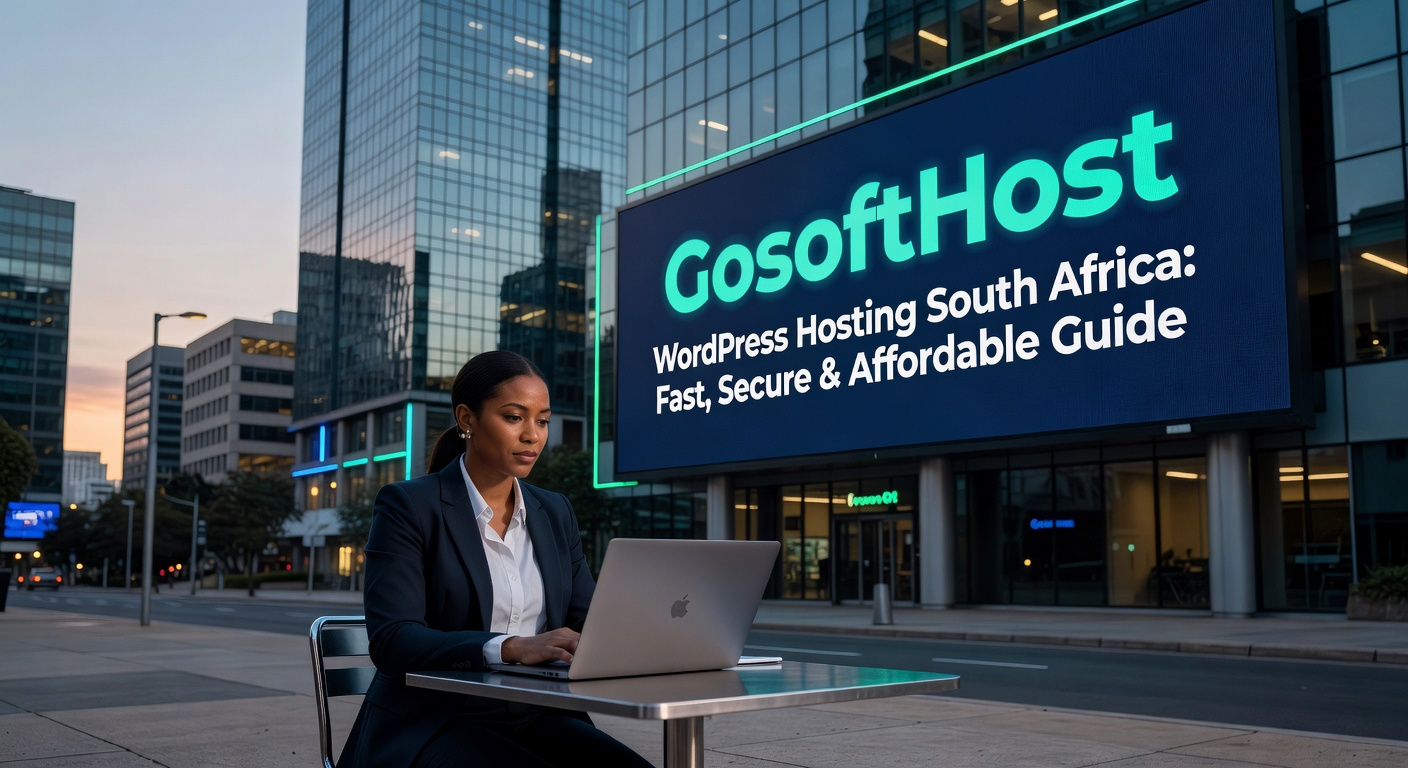
  • WordPress Hosting South Africa: Fast, Secure & Affordable Guide

    WordPress Hosting South Africa: Fast, Secure & Affordable Guide

    WordPress Hosting South Africa: Fast, Secure & Affordable Guide

    If you are building a website for a local business, blog, online store, church, school, or agency, choosing the right wordpress hosting south africa solution can make a major difference. Your hosting affects website speed, search rankings, security, user experience, and even conversion rates. For South African businesses, local relevance matters. A hosting service designed for the market can help deliver better performance, simpler billing, and support that understands local needs.

    In this guide, we explain what to look for in wordpress hosting south africa, why local hosting matters, which features are essential, and how to choose the right plan for your website. Whether you are launching your first WordPress site or moving from a slow provider, this article will help you make a confident decision.

    Why choose WordPress hosting in South Africa?

    WordPress powers millions of websites worldwide because it is flexible, user-friendly, and scalable. But WordPress performs best when paired with hosting that is properly optimized. Choosing wordpress hosting south africa gives website owners several practical advantages, especially when serving audiences in Johannesburg, Cape Town, Durban, Pretoria, and across the country.

    One of the biggest benefits is improved speed for local visitors. If your target audience is in South Africa, a provider with local infrastructure or routing optimized for the region can reduce latency and improve loading times. Faster websites often lead to better engagement, lower bounce rates, and stronger SEO performance.

    Another advantage is convenience. South African customers often prefer pricing in ZAR, support channels that work during local business hours, and a provider that understands the needs of SMEs, agencies, and startups in the region. When evaluating wordpress hosting south africa, it is useful to look beyond price alone and focus on real value: uptime, backups, security, support, and WordPress-specific performance.

    Key features to look for in WordPress hosting South Africa

    Not all hosting plans are equal. A generic shared hosting package may run WordPress, but true wordpress hosting south africa should include features that improve performance and reduce technical work for site owners.

    1. Optimized server performance
    Look for SSD or NVMe storage, server-side caching, LiteSpeed or high-performance web servers, updated PHP versions, and enough resources to handle traffic spikes. These features help WordPress websites load faster and remain stable.

    2. Free SSL certificate
    Security is essential for every website. A free SSL certificate protects user data and enables HTTPS, which is also important for trust and SEO.

    3. Automatic backups
    Reliable backup systems are a must. If something goes wrong after an update or plugin conflict, quick restoration can save your business from downtime and lost data.

    4. One-click WordPress installation
    A good wordpress hosting south africa provider should make setup simple. One-click installs help beginners launch websites quickly without manual configuration.

    5. Malware protection and firewall security
    WordPress is popular, which also makes it a common target for attacks. Strong hosting should include malware scanning, brute-force protection, firewalls, and proactive monitoring.

    6. Local and responsive support
    When issues arise, support quality matters. Choose a host known for fast response times and technical support that can assist with WordPress-related issues.

    7. Email hosting and domain support
    Many businesses prefer managing website hosting, business email, and domains in one place. This can simplify administration and reduce setup time.

    How WordPress hosting affects SEO and website performance

    Your hosting environment directly affects how your website performs in search engines. Google considers user experience signals such as speed, security, and availability. That means your choice of wordpress hosting south africa can support or weaken your SEO efforts.

    Fast loading times improve the visitor experience and can increase the likelihood that users stay on your site longer. If your website loads slowly, visitors may leave before viewing your products, services, or content. Hosting with strong infrastructure helps improve Core Web Vitals, especially when combined with image compression, caching, and clean website design.

    Uptime is another critical ranking and business factor. If your site is frequently offline, search engines and users will both see it as unreliable. Aim for a host with a strong uptime record and transparent service quality.

    Security also matters for SEO. A compromised website can be blacklisted, flagged by browsers, or lose customer trust. Quality wordpress hosting south africa should include the basic protections needed to reduce risk. Combined with regular WordPress updates and secure plugins, good hosting builds a more resilient website.

    Finally, location relevance can help with user experience. If your audience is primarily local, hosting optimized for South Africa can support better regional performance. While SEO depends on many factors, fast regional access gives your website a practical competitive edge.

    Who needs WordPress hosting South Africa?

    WordPress hosting south africa is ideal for a wide range of users. Small businesses need reliable hosting for company websites, lead generation pages, and service directories. Bloggers and publishers need stable performance and room to grow traffic. E-commerce brands using WooCommerce need secure and responsive hosting that can handle product pages, carts, and checkouts.

    Agencies and freelancers also benefit from WordPress-focused plans because they often manage multiple client websites. Easy installations, staging options, backups, and a clean hosting dashboard can save many hours over time. Churches, schools, NGOs, and community organisations also need cost-effective hosting that is secure and easy to maintain.

    If your visitors are based in South Africa, your support team is local, or your business prefers ZAR billing, choosing wordpress hosting south africa is often a practical and strategic move.

    How to choose the best WordPress hosting plan

    Before signing up, think about your website’s current needs and future growth. A personal blog may work well on an entry-level plan, while a WooCommerce shop or high-traffic business site will need more resources. The best wordpress hosting south africa plan is one that balances affordability with performance, reliability, and support.

    Start by checking these points:

    • Traffic expectations: Estimate how many visitors your site will receive each month.
    • Storage needs: Larger media libraries and online stores need more disk space.
    • Performance tools: Look for caching, CDN compatibility, and updated software.
    • Support quality: Read reviews and check support availability.
    • Scalability: Make sure you can upgrade as your site grows.
    • Backups and security: Confirm these are included, not costly extras.

    If you already have an existing WordPress website, ask whether free migration is available. A migration service makes it easier to move from another host with less downtime and less technical stress.

    It is also smart to consider value in local currency. South African customers often appreciate straightforward ZAR pricing without exchange-rate surprises. For many businesses, predictable monthly costs make budgeting easier.

    When comparing providers, avoid choosing solely on the cheapest deal. A low-cost host that is slow or unreliable can cost you more through lost leads, poor SEO, and support delays. Good wordpress hosting south africa should be affordable, but also dependable enough to support your brand properly.

    At GosoftHost, we understand the needs of website owners who want reliable WordPress performance, strong security, and helpful support. Our hosting solutions are designed to help South African businesses, creators, and agencies launch and grow with confidence.

    Ready to get started? Choose GosoftHost for dependable wordpress hosting south africa with fast performance, secure infrastructure, and responsive support. Visit our South Africa hosting page to find the right WordPress plan for your website today.

  • Best VPS Hosting South Africa: Top Features, Pricing & How to Choose

    Best VPS Hosting South Africa: Top Features, Pricing & How to Choose

    Best VPS Hosting South Africa: How to Choose the Right VPS for Speed, Control and Growth

    If you are searching for the best VPS hosting South Africa has to offer, you are likely at a stage where shared hosting no longer meets your website’s needs. As your traffic grows, your applications become heavier, or your business requires more control, a Virtual Private Server can provide the performance, flexibility, and reliability you need.

    For businesses, developers, agencies, and online stores in South Africa, choosing the right VPS hosting provider is about more than just price. You need fast local performance, stable infrastructure, strong security, scalable resources, and support that understands your market. Whether you serve customers in Johannesburg, Cape Town, Durban, or globally, the best VPS hosting South Africa businesses choose should help you deliver a better online experience.

    In this guide, we explain what VPS hosting is, why it matters for South African websites, what features to compare, and how to choose a provider that fits your budget and growth plans.

    What Is VPS Hosting and Why Does It Matter?

    VPS stands for Virtual Private Server. It is a hosting environment that gives you dedicated resources within a virtualised server. Unlike shared hosting, where many users compete for the same resources, VPS hosting allocates a specific portion of CPU, RAM, and storage to your account.

    This makes VPS hosting ideal for websites and applications that need more power and consistency. If you run a growing business website, an eCommerce store, a learning platform, a custom application, or host multiple client sites, VPS hosting gives you better performance and greater control.

    The best VPS hosting South Africa website owners choose can help with:

    • Faster loading times for local visitors
    • Improved uptime and reliability
    • Root access and custom server configurations
    • Better isolation from other users
    • Easy scaling as traffic increases
    • Enhanced security for business-critical websites

    For South African businesses, this matters because user expectations are high. A slow or unstable site can reduce trust, increase bounce rates, and affect search visibility. A well-configured VPS can support both performance and long-term growth.

    Why South African Businesses Need Local VPS Performance

    When evaluating the best VPS hosting South Africa providers, location and network performance are important. Hosting that is optimised for South African traffic can reduce latency and improve the experience for local users. This is particularly important for businesses targeting customers in major commercial centres such as Johannesburg and Pretoria.

    Low-latency hosting helps pages load faster, improves dashboard responsiveness, and benefits web applications that require frequent server communication. A VPS environment supported by infrastructure tailored for local access can make a meaningful difference, especially for online stores, CRMs, booking systems, and business portals.

    South African businesses should also consider practical factors such as local billing, ZAR pricing, and support that understands the needs of the local market. These details often make account management easier and more predictable.

    If your audience includes both local and international customers, the best VPS hosting South Africa plans should balance strong regional performance with global reliability. This allows your business to serve local users efficiently while remaining accessible to customers in the UK, UAE, Nigeria, Kenya, Ghana, and beyond.

    Features to Look for in the Best VPS Hosting South Africa Offers

    Not all VPS plans are equal. To find the best VPS hosting South Africa businesses can rely on, compare providers based on technical features, support quality, and scalability.

    1. Dedicated Resources

    Your VPS should include guaranteed CPU, RAM, and SSD or NVMe storage. Dedicated resources mean more stable performance, especially during traffic spikes or resource-heavy tasks.

    2. Fast Storage

    SSD storage is now standard, but NVMe storage offers even faster read and write speeds. This can improve database performance, application responsiveness, and website load times.

    3. Root Access and Flexibility

    One of the key benefits of VPS hosting is control. Developers and advanced users often need root access to install software, adjust configurations, or run custom environments.

    4. Managed or Unmanaged Options

    Some businesses prefer managed VPS hosting, where the provider assists with updates, security, and server maintenance. Others choose unmanaged plans for full control. The best VPS hosting South Africa providers usually offer options for both technical and non-technical users.

    5. Security Protections

    Security should include firewalls, malware protection, DDoS mitigation, secure access controls, backups, and regular updates. If you store customer data or process online payments, this becomes even more important.

    6. Scalability

    Your hosting plan should grow with your business. Look for a provider that allows you to upgrade RAM, CPU, and storage easily without major downtime.

    7. Uptime and Support

    Reliable hosting should come with a strong uptime commitment and responsive technical support. If an issue affects your website, quick assistance can reduce downtime and business disruption.

    How to Compare VPS Hosting Plans in South Africa

    Choosing the best VPS hosting South Africa plan starts with understanding your needs. A small brochure website will not need the same resources as a WooCommerce store, software platform, or agency hosting multiple sites.

    Here are a few practical questions to ask before choosing a plan:

    • How much traffic does your website receive each month?
    • Do you need root access or a managed service?
    • Will you host one website or multiple projects?
    • Do you run resource-heavy applications or databases?
    • Do you need cPanel, Plesk, or another control panel?
    • What is your monthly budget in ZAR?

    Pricing should always be assessed alongside value. The cheapest option is not always the best VPS hosting South Africa solution if it lacks support, backups, security, or stable performance. A slightly higher monthly fee may save money over time by improving uptime and reducing technical problems.

    You should also review:

    • Backup frequency and restore options
    • Operating system choices such as Ubuntu, Debian, AlmaLinux, or Windows
    • Bandwidth allowances
    • Server deployment speed
    • Upgrade paths for growing businesses
    • Migration assistance from your current host

    For many South African businesses, a VPS is the ideal middle ground between affordable shared hosting and more expensive dedicated servers. It offers a strong balance of cost, power, and flexibility.

    Why GosoftHost Is a Smart Choice for VPS Hosting

    At GosoftHost, we understand what South African businesses need from hosting. Our VPS solutions are built for performance, control, and reliability, making us a strong contender for the best VPS hosting South Africa businesses can trust.

    We provide hosting solutions designed to support startups, developers, eCommerce brands, and growing companies that need more than shared hosting can offer. With scalable resources, modern infrastructure, dependable support, and competitive pricing, our VPS plans are suited to businesses that want to grow confidently.

    Whether you need a VPS for a high-traffic website, a secure business application, reseller operations, or custom development work, our team can help you choose the right environment. We focus on practical hosting that delivers speed, uptime, and room to scale.

    When evaluating the best VPS hosting South Africa options, it helps to choose a provider that combines technical capability with responsive service. That is where GosoftHost adds value. We aim to make powerful hosting more accessible for businesses in South Africa and across international markets.

    If you are moving on from shared hosting or need a more reliable environment for your online business, VPS hosting is a smart next step. The right provider can improve speed, increase stability, support your growth, and give you more control over your digital operations.

    The best VPS hosting South Africa websites rely on should deliver dedicated resources, modern storage, strong security, scalable plans, and helpful support. By comparing providers carefully and matching features to your needs, you can invest in a hosting solution that supports your business now and in the future.

    Ready to upgrade your hosting? Explore GosoftHost VPS plans today and find a powerful, scalable solution for your South African website or application. Get started with GosoftHost VPS Hosting.

  • Cheap Web Hosting South Africa: Affordable, Fast & Reliable Hosting in 2026

    Cheap Web Hosting South Africa: Affordable, Fast & Reliable Hosting in 2026

    Cheap Web Hosting South Africa: How to Choose Affordable Hosting Without Sacrificing Quality

    If you are searching for cheap web hosting South Africa, you are not alone. Startups, small businesses, bloggers, freelancers, and online stores all want hosting that is affordable, reliable, and fast. The challenge is that the cheapest option is not always the best option. A low monthly price means very little if your website is slow, your emails fail, or your support tickets go unanswered when your business needs help.

    In South Africa, website owners need more than just a cheap plan. They need local-friendly pricing in ZAR, dependable uptime, strong security, and support that understands the needs of the local market. Whether you are launching a business website in Johannesburg, an online store in Cape Town, or a portfolio site in Durban, choosing the right hosting provider can help you save money while building a reliable online presence.

    This guide explains what to look for when comparing cheap web hosting South Africa providers, which features matter most, and how to avoid common mistakes when choosing a low-cost hosting plan.

    What Makes Cheap Web Hosting South Africa Worth It?

    When people search for cheap web hosting South Africa, they usually want the lowest price possible. However, value matters more than price alone. Good affordable hosting should give you the essentials needed to run a professional website without forcing you into expensive upgrades too early.

    Here are the core features that matter most:

    • Reliable uptime: Your website should be online when customers visit. Look for at least 99.9% uptime.
    • Fast loading speeds: A slow website can hurt conversions and search rankings.
    • Free SSL certificate: Essential for website security and trust.
    • Email hosting: Professional email addresses add credibility to your brand.
    • Easy control panel: cPanel or a similar dashboard makes website management simple.
    • Local or regional performance: South African users benefit from lower latency when infrastructure is well-optimised for the region.
    • Responsive support: Fast support saves time and protects your business.

    The best cheap web hosting South Africa plans offer a balance of affordability and functionality. If a provider is very cheap but lacks security, support, or acceptable speed, you may end up paying more later through downtime or migration costs.

    Why Local-Relevant Hosting Matters in South Africa

    Many international hosting companies advertise globally, but not all of them are ideal for South African users. If your audience is mainly in South Africa, it helps to choose a hosting provider that understands the local market and offers services designed for local businesses.

    Here is why South Africa-focused hosting can be a smart choice:

    Pricing in ZAR: Paying in South African Rand makes budgeting easier and reduces uncertainty caused by exchange rate changes.

    Better support alignment: Local-friendly support teams often understand common issues faced by South African businesses, from payment preferences to setup expectations.

    Improved performance for local visitors: Hosting infrastructure and routing that serve South African traffic efficiently can reduce delays and improve user experience.

    Business trust: Customers often prefer dealing with brands that understand their region and business environment.

    When comparing cheap web hosting South Africa, always look beyond promotional pricing. Check renewal rates, support response times, and included resources such as storage, bandwidth, backups, and email accounts.

    How to Compare Cheap Web Hosting South Africa Plans

    Not every hosting plan is built for the same type of website. A basic blog has different needs from an ecommerce store or a company website with heavy traffic. To choose the right cheap web hosting South Africa plan, start by matching the package to your website goals.

    For small business websites:
    Look for a plan with enough storage, business email hosting, SSL, and one-click WordPress installation. Ease of use is important if you do not have a technical team.

    For WordPress websites:
    Choose hosting that offers WordPress optimisation, automatic updates, caching support, and strong security. WordPress powers a large percentage of websites, so compatibility matters.

    For ecommerce stores:
    Your hosting should handle more traffic, offer good uptime, daily backups, and secure payment compatibility. Cheap hosting can still work for a small store, but reliability becomes even more important.

    For resellers and agencies:
    If you manage websites for clients, scalability and account management tools become essential. A plan may seem cheap at first but may not be ideal for growth.

    When comparing providers, use this checklist:

    • Does the plan include a free domain or migration assistance?
    • Are backups included or charged separately?
    • Is there a clear uptime guarantee?
    • Are there hidden setup fees?
    • Can you upgrade easily as your traffic grows?
    • Is support available when you need it?

    The right cheap web hosting South Africa plan should support your current needs while leaving room for your website to grow.

    Common Mistakes to Avoid When Choosing Cheap Hosting

    Affordable hosting can be a smart investment, but only if you avoid the most common traps. Many website owners choose a plan based only on the monthly price, then discover important limitations later.

    Here are mistakes to avoid:

    Choosing based on price alone:
    A very low-cost package may have weak performance, strict limits, or poor support.

    Ignoring renewal pricing:
    Some companies offer deep discounts for the first term, then increase the price significantly on renewal.

    Overlooking security:
    Cheap hosting should still include malware protection, SSL, and basic account security features.

    Not checking support quality:
    If your site goes down, support quality matters more than saving a few rand per month.

    Buying the wrong type of hosting:
    Shared hosting is ideal for many small websites, but larger stores or high-traffic sites may eventually need VPS or cloud hosting.

    By avoiding these mistakes, you can find cheap web hosting South Africa packages that truly offer value instead of frustration.

    Why GosoftHost Is a Smart Choice for Cheap Web Hosting South Africa

    At GosoftHost, we understand that businesses want hosting that is affordable without compromising on quality. That is exactly why our hosting solutions are designed to help South African entrepreneurs, SMEs, bloggers, and growing brands get online with confidence.

    Our approach to cheap web hosting South Africa focuses on what customers actually need: solid performance, easy management, strong security, and dependable support. Instead of offering bare-minimum plans that force you into upgrades, we provide hosting built for real business use.

    With GosoftHost, customers benefit from:

    • Affordable hosting plans designed for startups and growing businesses
    • User-friendly hosting management tools
    • Free SSL to secure your website
    • Reliable uptime and stable performance
    • Professional support for technical and account-related questions
    • Scalable solutions as your site grows

    If your goal is to build a business website, launch a blog, host a portfolio, or run a WordPress site, GosoftHost offers a practical path to getting online without overspending. For many users, the ideal cheap web hosting South Africa provider is the one that helps them start quickly, manage costs, and scale when needed.

    Affordable hosting should not mean poor service. It should mean smart value, clear pricing, and reliable infrastructure that supports your website from day one.

    Final Thoughts on Cheap Web Hosting South Africa

    Choosing the best cheap web hosting South Africa plan comes down to more than finding the lowest advertised price. You need hosting that is secure, stable, easy to use, and suitable for your audience. For South African website owners, local relevance, ZAR pricing, and dependable support all make a real difference.

    Before you make your decision, compare the full value of each hosting plan. Check what is included, how support works, and whether the provider can support your business as it grows. A good affordable hosting plan helps you build a strong website today while keeping future growth in mind.

    If you want dependable and cost-effective hosting for your website, GosoftHost is here to help you get started with confidence.

    Ready to launch your website? Explore GosoftHost hosting plans today and find the right solution for your business. Get started with affordable web hosting now.

    Cheap web hosting South Africa for small businesses and startups

  • WHMCS Tutorial for Reseller Hosting: Complete Beginner’s Guide to Automate Your Hosting Business

    WHMCS Tutorial for Reseller Hosting: Complete Beginner’s Guide to Automate Your Hosting Business

    WHMCS Tutorial for Reseller Hosting: Complete Beginner’s Guide to Automate Your Hosting Business

    If you want to build a successful hosting business, learning how to use WHMCS for reseller hosting is one of the smartest first steps you can take. A good WHMCS tutorial reseller hosting setup helps you automate billing, create hosting packages, manage client accounts, and provide support from one dashboard. Whether you are starting a small hosting brand in South Africa, serving clients in Nigeria, Kenya, Ghana, the UAE, the UK, or working with international customers, WHMCS can simplify your operations and help you scale.

    In this WHMCS tutorial reseller hosting guide, we will explain what WHMCS is, how it works with reseller hosting, how to configure it properly, and which best practices can help you run your hosting business more efficiently. If you are new to automation platforms, do not worry — this guide is designed for beginners as well as growing hosting resellers.

    What Is WHMCS and Why Is It Important for Reseller Hosting?

    WHMCS stands for Web Host Manager Complete Solution. It is a popular client management, billing, support, and automation platform designed for web hosting companies and resellers. When paired with reseller hosting, WHMCS can automate many of the repetitive tasks that would otherwise consume hours of manual work every week.

    For example, with the right WHMCS tutorial reseller hosting configuration, you can automatically:

    • Create hosting accounts after payment is received
    • Suspend overdue accounts
    • Send invoices and payment reminders
    • Register or transfer domains
    • Manage customer support tickets
    • Provide clients with their own login and service details

    This level of automation is essential if you want to deliver a professional customer experience. Instead of manually setting up cPanel accounts or sending invoices one by one, WHMCS handles these tasks in the background. That means you can focus on sales, marketing, and customer growth.

    For reseller hosting businesses, WHMCS acts as the operational center of your company. It connects your hosting server, billing process, and client communications into one system. This is why every serious WHMCS tutorial reseller hosting should begin with understanding the role WHMCS plays in streamlining service delivery.

    How WHMCS Works with Reseller Hosting

    To understand this WHMCS tutorial reseller hosting setup, it helps to know how the components work together. In a typical reseller hosting environment, you buy reseller resources from a hosting provider. Those resources may include disk space, bandwidth, cPanel account allocation, private nameservers, and white-label features. Then you create your own hosting packages and sell them under your own brand.

    WHMCS integrates with your hosting control panel, most commonly cPanel/WHM, through API access. Once connected, WHMCS can communicate directly with your reseller hosting environment. This allows automated provisioning of new customer accounts when a client places an order on your website.

    Here is the basic workflow:

    1. A customer visits your site and chooses a hosting plan.
    2. They place an order through your WHMCS order form.
    3. Payment is processed through your selected payment gateway.
    4. WHMCS sends a command to your reseller hosting server.
    5. The server automatically creates the new cPanel hosting account.
    6. The customer receives a welcome email with login details.

    This automation is the core benefit of using WHMCS in reseller hosting. Without it, you would need to manually create each account and track every invoice yourself. A strong WHMCS tutorial reseller hosting strategy saves time, reduces human error, and improves customer satisfaction.

    Step-by-Step WHMCS Tutorial for Reseller Hosting Setup

    If you are ready to set up WHMCS for your reseller hosting business, follow these core steps.

    1. Install WHMCS

    Most hosting providers offer a simple installer for WHMCS, or they may include it as part of a reseller hosting package. Install WHMCS on your domain or subdomain, such as billing.yourbrand.com. Use SSL from the start so your billing area is secure.

    2. Complete the Initial Configuration

    After installation, WHMCS will guide you through basic setup. You will enter your company name, email address, default currency, and payment terms. If you serve multiple regions, make sure your currency and tax settings are configured correctly for your audience.

    3. Connect Your Reseller Hosting Server

    This is one of the most important steps in any WHMCS tutorial reseller hosting process. In WHMCS, go to the server settings area and add your cPanel/WHM server details. You will need your server hostname, IP address, nameservers, and API or access hash credentials. Once connected, test the connection to confirm WHMCS can communicate with your reseller hosting environment.

    4. Create Hosting Products

    Next, create the packages you want to sell. These may include Starter Hosting, Business Hosting, WordPress Hosting, or eCommerce Hosting. Assign pricing, billing cycles, disk space, bandwidth, email accounts, and any other features included in each plan. Link each product in WHMCS to the matching package in WHM.

    5. Set Up Domain Registration Options

    Many reseller hosting businesses also sell domain names. WHMCS supports domain registration automation through registrars and modules. Add domain extensions relevant to your market, such as .co.za, .com, .net, .org, .ae, .ng, or .uk, depending on the audiences you serve.

    6. Configure Payment Gateways

    Your customers need a convenient way to pay. WHMCS supports multiple payment gateways, including card payments, PayPal, and region-specific methods depending on your provider. In this WHMCS tutorial reseller hosting guide, we recommend choosing trusted payment gateways that support fraud protection and recurring billing.

    7. Customise Email Templates

    WHMCS sends many important emails, including invoices, welcome messages, password resets, and support updates. Edit these templates to match your branding and tone. Clear communication improves trust and reduces support tickets.

    8. Test the Full Ordering Process

    Before launching publicly, test everything. Place a sample order, make a test payment, confirm automatic account creation works, and check whether the welcome email is sent correctly. A complete WHMCS tutorial reseller hosting setup should always include testing before real customers start using the platform.

    Best Practices for Managing WHMCS in a Reseller Hosting Business

    Once your system is live, the next step is optimization. A reliable WHMCS tutorial reseller hosting approach is not just about installation — it is about maintaining a smooth and secure operation over time.

    Here are some best practices to follow:

    • Keep WHMCS updated: Updates often include security fixes, compatibility improvements, and new features.
    • Use strong security settings: Enable two-factor authentication, use strong admin passwords, and restrict admin access where possible.
    • Back up your system regularly: WHMCS stores critical billing and client data, so backups are essential.
    • Review automation settings: Make sure invoice generation, payment reminders, suspensions, and terminations are aligned with your business policies.
    • Monitor support tickets: Fast support responses help improve retention and customer satisfaction.
    • Optimise your order forms: Keep the checkout process simple to increase conversions.

    You should also review your product pricing regularly. If your reseller hosting package includes white-label cPanel hosting, free SSL, backups, or website migration, highlight those benefits clearly inside your sales pages and WHMCS product descriptions.

    For growing resellers, reporting features inside WHMCS can help track revenue, churn, unpaid invoices, and top-selling services. These insights can guide better decisions as your business expands.

    Common WHMCS Tutorial Reseller Hosting Mistakes to Avoid

    Many beginners make avoidable mistakes when setting up WHMCS. Knowing these in advance can save you time and money.

    One common issue is mismatching package names between WHMCS and WHM. If the package mapping is incorrect, automated account provisioning may fail. Another mistake is skipping test orders before launch. This can lead to customers paying successfully but not receiving hosting accounts automatically.

    Some resellers also overlook branding. If your WHMCS client area still contains generic text, default templates, or inconsistent company details, it can reduce trust. A polished, branded billing portal looks more professional.

    Another problem is weak security hygiene. Since WHMCS contains billing and customer data, it should never be left unprotected. Always use SSL, keep software updated, and enable security features immediately.

    Finally, avoid making your plans too complicated. Simpler packages are easier for customers to understand and easier for you to manage. A smart WHMCS tutorial reseller hosting setup should support growth, not create unnecessary complexity.

    Why WHMCS Is a Smart Choice for Reseller Hosting Growth

    As your hosting business grows, manual admin work becomes harder to manage. WHMCS helps solve that problem by automating the essential parts of the customer lifecycle. From order placement to account creation, invoicing, renewals, and support, it gives reseller hosting businesses a more scalable foundation.

    This is why so many providers choose WHMCS when launching or expanding a hosting brand. A strong WHMCS tutorial reseller hosting workflow helps you look more professional, improve service delivery, and reduce repetitive workload. Whether you serve local businesses in South Africa or international clients across Africa, Europe, and the Middle East, WHMCS gives you the tools to run your reseller hosting business more effectively.

    If you want to launch a hosting company without building billing and automation systems from scratch, WHMCS is one of the best platforms to start with. It is widely used, feature-rich, and designed specifically for businesses selling hosting and domains.

    Ready to start your reseller hosting journey? Choose a reliable reseller hosting provider with WHMCS support, strong uptime, white-label features, and responsive technical assistance. At GosoftHost, we help entrepreneurs and agencies build professional hosting businesses with dependable reseller hosting solutions. Explore our reseller hosting plans today and take the next step toward automating your hosting business with confidence.